Turn customer inquiries
into paid bookings

Booky AI is an AI booking platform for home service businesses. Let AI agents handle customer conversations, book your field staff, and guide customers to payment.

14-day free trial. All features included. No credit card required.

Connect your customer channels.

Calls, SMS, website chat and voice, Instagram, and Facebook Messenger.

Book the right field staff.

Match the requested service with staff availability and sync Google Calendar.

Confirm with payment.

Collect full payment or a payment authorization through Stripe or Square.

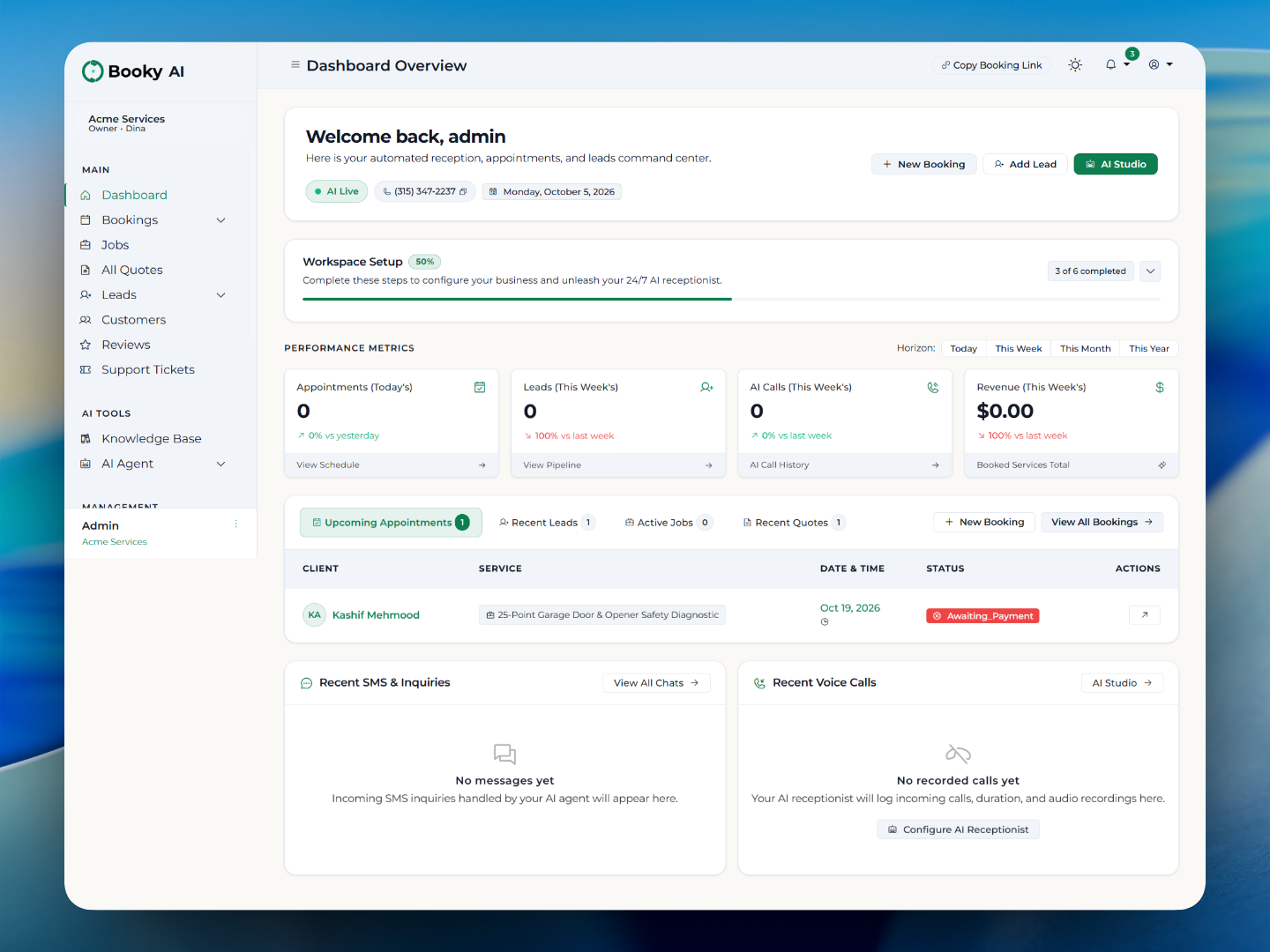
Booky AI business dashboard

An inquiry needs more
than a quick reply.

Before a customer can book, they need a price, an available time, and a way to pay.

Your team is in the field.

Calls and messages arrive while your field staff are working in customers’ homes.

Your next customer has questions.

Which service do they need? Who is available? How do they confirm the slot?

Connect the conversation
to the booking.

Your voice and text agents use your business setup to help customers choose a service and find an available time. Add a lead and outreach starts automatically.

  • Your services
  • Your pricing
  • Your availability
See how it works
Customer

“Can you fix a garage door in East Austin today?”

Booky AI

“We cover East Austin. A diagnostic visit is $79, and 2 PM is available. Would you like to book that time?”

Customer

“Yes, 2 PM works. Let’s book it.”

Booking awaiting payment

Customer
Jamie Rivera
Request
Garage repair
Requested time
Today, 2 PM
To confirm
Pay or authorize payment
Illustrative conversation with sample pricing and availability. Full payment or payment authorization confirms the booking.

Set up how your business books.

Connect your services, field staff, payments, and agents before taking bookings.

  1. Add your business

    Create your business, set base service prices, and add the service items and optional extras customers can select.

  2. Add staff and connect payments

    Assign each field staff member the services they provide and their working hours. Connect Google Calendar and Stripe or Square.

  3. Deploy your agents and forms

    Add agent instructions and upload business documents to your knowledge base. Connect your channels and take bookings through agents, portals, or a form embedded on your website.

Find your plan

From the first question
to a confirmed visit.

Agents that help customers book

Handle calls, SMS, website chat and voice, Instagram, and Facebook Messenger. Agents can book, reschedule, cancel, and request human help.

Schedule eligible field staff

Customers can choose staff on booking forms. Agents select the first available field staff member who provides the requested service.

Confirm bookings with payment

Each booking generates an invoice. Customers confirm with full payment or payment authorization through your connected Stripe or Square account.

Support beyond the first booking

Agents use your uploaded business documents to answer questions. They can also look up bookings, jobs, and quotes, create tickets, and request human help.

Illustrative examples. Customers can also book, approve quotes, pay invoices, manage bookings, message your business, and leave reviews in their customer portal.

Built for home service businesses

Cleaning

Cleaning professional with supplies

Tree care

Arborist in safety gear

Garage doors

Garage door technician with tools
Booky AI

Water damage

Water restoration field technician

Pest control

Pest control technician with a sprayer

Septic & drains

Drainage professional with inspection equipment

Choose a plan for your business.

Compare usage allowances and capacity for your documents and team. Try all features free for 14 days. No credit card required.

What could missed calls
be worth?

Start with your numbers.

Not every caller becomes a customer. Set a rate that feels realistic for your business.

Estimated value of additional bookings

$2,708/ month

$32,500 over a year

About 10.8 additional bookings per month.

Put your next booking
on the calendar.

Try Booky AI free for 14 days. Set up your services, field staff, and agents with access to every feature.

Start free trial

No credit card required. Have questions?

Before your first booking

How agents, staff, quotes, and payments work together.

More questions? Read all FAQs

Booky AI is an AI booking platform for home service businesses. It connects voice and text agents, booking forms, service pricing, field staff schedules, quotes, jobs, and customer payments.

You can deploy voice and text agents to phone calls, SMS, website chat, website voice calls, Instagram, and Facebook Messenger.

On booking forms, customers can choose field staff. For agent bookings, the agent selects the first staff member available at the chosen time who provides the requested service. Your business must assign the service to that staff member in their settings.

Each booking generates an invoice. The customer confirms the slot with full payment or payment authorization through your connected payment gateway. A payment authorization approves a charge without collecting it immediately.

Your business creates a quote and clicks Send to Customer. The customer receives it by email and can view it in their portal. They approve the quote and pay the required deposit or full amount according to the quote’s payment requirement.

Booky AI supports two-way sync with the selected field staff member’s Google Calendar. An ICS calendar file is also available for anyone who needs to download the booking details.

No. The free trial lasts 14 days, includes access to all features, and does not require a credit card. Review the trial plan’s usage allowances on the pricing page.

Yes. Upload your business documents to the knowledge base. Your agents can use relevant information from those documents, alongside your instructions, to answer customer questions about your services and business.